I was stuck inside learning Python for a project I'm working on this weekend because it has been snowing pretty heavily here. I got up to grab a bit it eat and caught some movement in my window out of the corner of my eye. Turns out, my window well if full of shrews (full meaning 2 or more in this case):
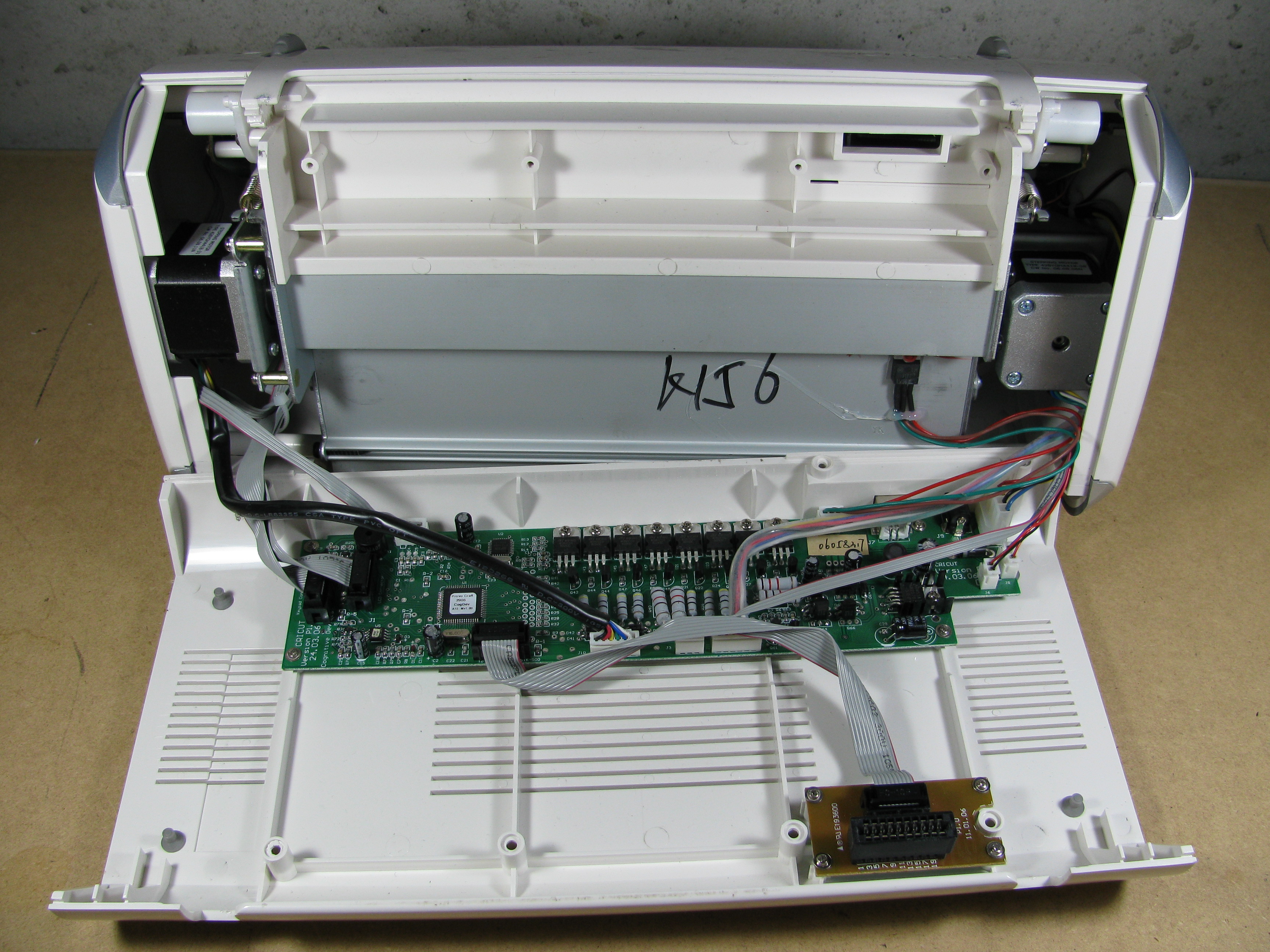
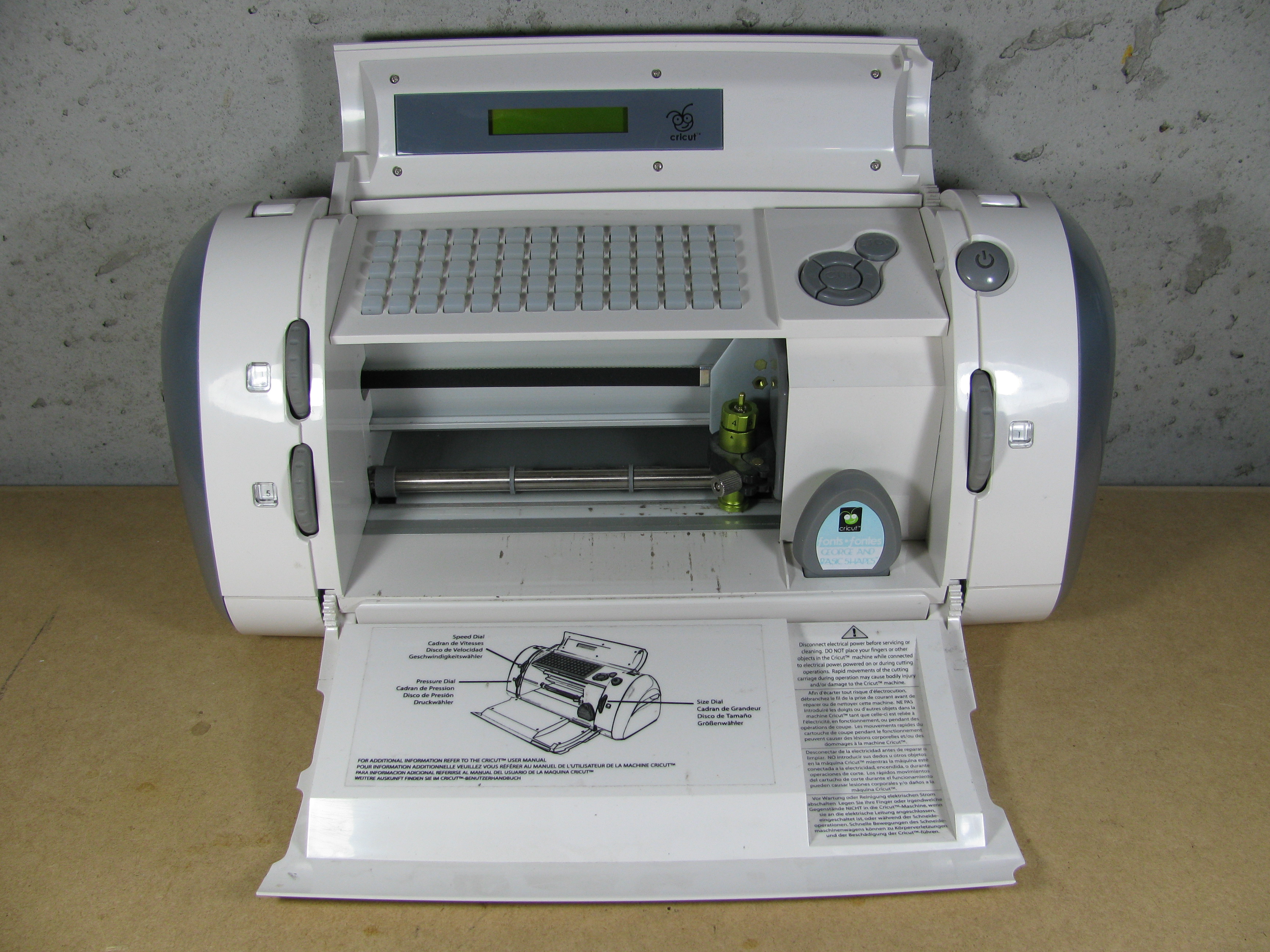
Here's what I found in my dissection of my Cricut Personal cutter. I think this is a pretty good jumping off point if you're interested in repurposing the hardware, but for now I'm not doing any advanced analysis of the circuits (tracing pinouts, etc). This may come later if I decide to make some custom firmware to do some other fancy things.
Actuators:
2 Steppers - 42BYGH4418 - These are standard NEMA 17 sized steppers with 6 leads. I didn't find any specific data on this stepper most likely driven in a unipolar configuration.
1 Solenoid - The cutter head seems to be a custom solenoid setup.
Chips:
- Main microcontroller for the entire system.
- FTDI USB to RS232 converter chip.
- 4MBit Serial EEPROM - This seems to be where the built in "Goerge and Basic Shapes" cartridge data is stored.
Power:
- 1.5A adjustable voltage regulator - Outputs 2.4V at power on.
- 5Volt 3A Step Down Switching Regulator
18V 2.5A Power Brick - Labeling seems to suggest there are 16V, 20V, and 21V versions as well.
Other Parts:
NPN Transistors and high wattage resistors - These 8 transistors are driving the individual stepper coils. The power resistors, transistors, and diodes in the center of the motherboard above all form the stepper control for the two steppers used in the setup. The steppers are driven off of the 18V supply from the power brick.
Potentiometers - The speed, pressure, and size dials are all just connected directly to potentiometers.
"George and Basic Shapes" cartridge tear down:
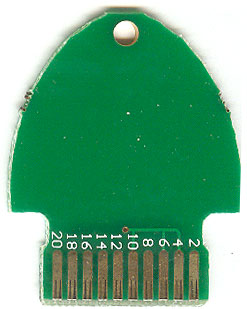
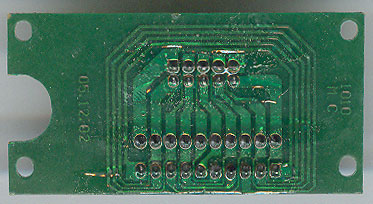
Here's a picture of the "George and Basic Shapes" cartridge from the side facing tward you when inserted into the machine. This is the cartridge that comes with the machine and is just a couple pins shorted together. If you've searched for Cricut hacks before, you probably already knew this, as this seems to be one of the few details floating around. I did manage to disassemble a standard cartridge at an earlier date and it contained an Atmega chip and another mysterious 8-pin Atmel chip just like the motherboard. I'll have to borrow another cartridge or two in the future and post some pics.
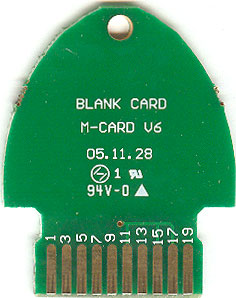
The back seems to be a mirror of the front. It seems that rather than key the cartridges, they simply manufacture them so they can be inserted either way and function normally.
Cartridge socket machine side:
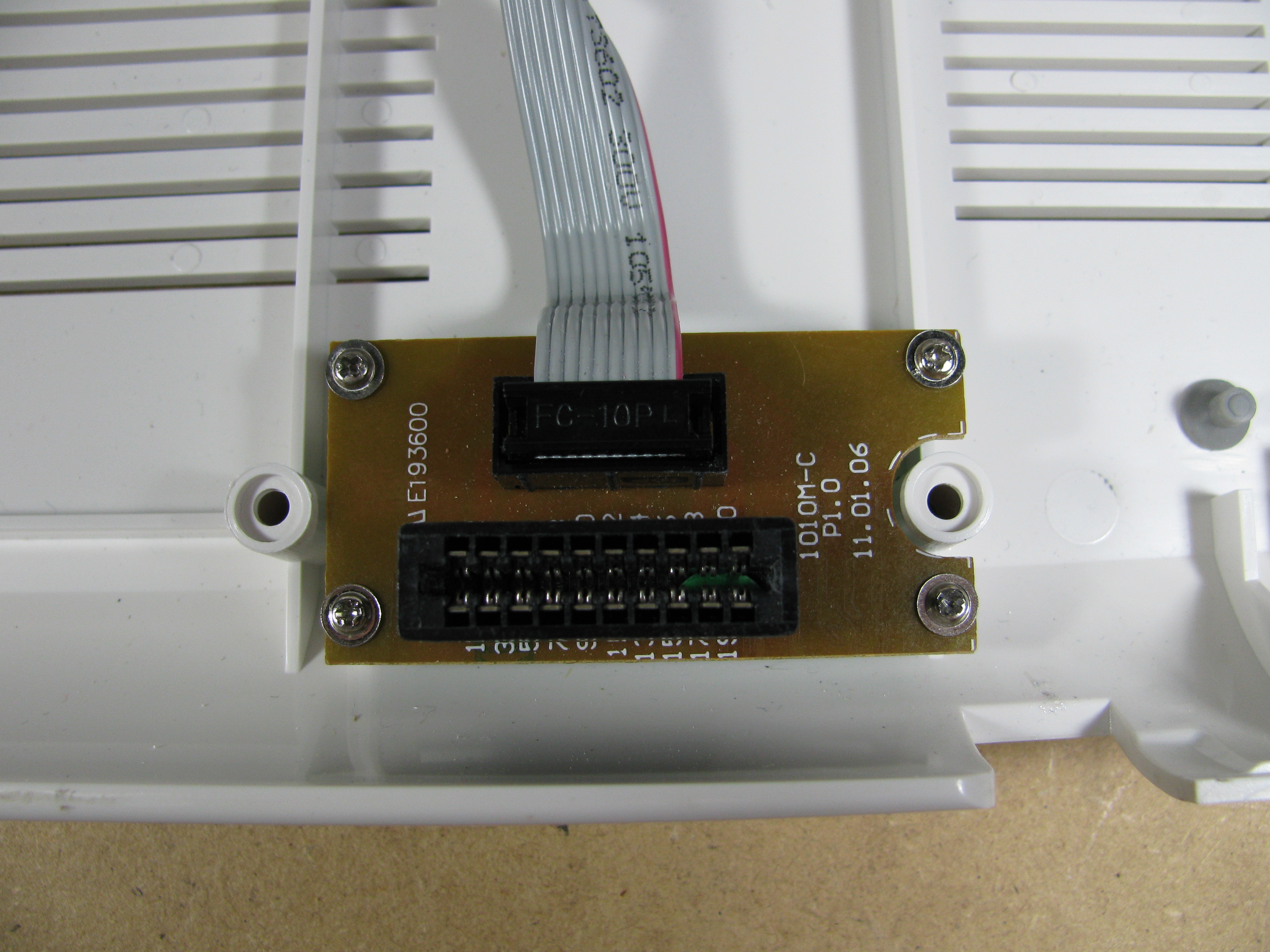
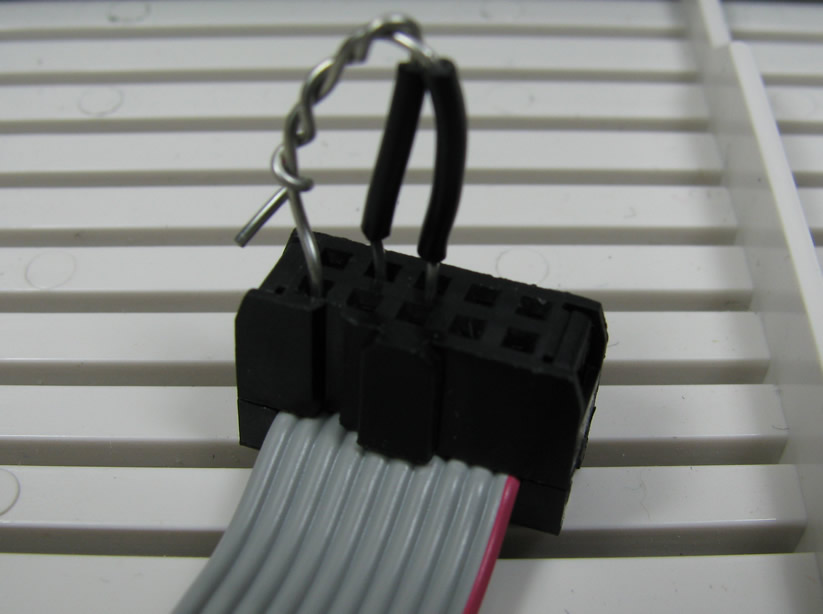
You can see from the traces on the cartridge socket PCB that the connections are mirrored on the machine side as well. After taking a look at the cartridge board, I simply disconnected it and used jumper wire to short the appropriate pins to emulate a George cartridge on my unit as many others have done since the George cartridge above is one that I borrowed. Here's a pic of my George cartridge emulation setup:
This solution works nice for me since it's quick and easy and I don't plan on using the Cricut with the standard cartridges. You can just as easily emulate a George cartridge a number of other ways if you what to still use other cartridges with the machine normally, ranging from making your own PCB to just gluing some foil traces to a piece of cardboard that will fit in the slot.
More hardware details to come as I start looking at signals and set up serial sniffing...
A member at the hackerspace donated a Cricut 6" cutter when she upgraded to the Expression model. I've seen these little devices in most craft stores and even Wal-mart, and they seem ripe for the hacking. The Cricut line of personal CNC paper cutters appear to have been looked into on a number of occasions from what I could find, but I didn't really find any good resources for information on hardware hacking other than a couple simple hacks and the discovery that the Cricut USB link was actually an USB to RS232 connection. I also didn't find any open source or homebrew software to turn these devices from advanced scrapbook die cutters to general purpose CNC paper cutter/plotter/whatever. I really want to play around with this thing (including trying to mount a spindle on it for crude PCB routing, among other things), but it looks like someone still needs to do a little leg work to make that happen easily.
What I did find is that there are a few proprietary software packages out there ( and ) that allow you to place and cut TrueType fonts and SVG format vector graphics. This coupled with the fact that the device was using an RS232 link to do the actual communication to the on board microcontroller led me to believe it should be trivial to back-engineer the command protocol. I downloaded the trial versions of the available 3rd party tools and grabbed a few windows serial port sniffing applications and set off to start logging communications.
Unfortunately I found that no combination of serial sniffer and control software seemed to work out. I can easily use the serial sniffers to look at the transactions of the Arduino bootloader and the host application over the USB to RS232 link, but I see no activity with the 3rd party Cricut software. I can set up a USB sniffer link and log data, but these logs are relatively verbose and I'd like to use a more elegant solution to log the RS232 data directly.
Since I'm more comfortable with the hardware side of things, I'm currently focusing on the problem from that angle. I didn't want to start chopping up the space's Cricut, I set out to acquire my own for the task. I managed to scoop one up for $60 with no cartridges from an individual who upgraded to the Expression as well. Stay tuned for some hardware dissection notes as I take my personal unit apart!
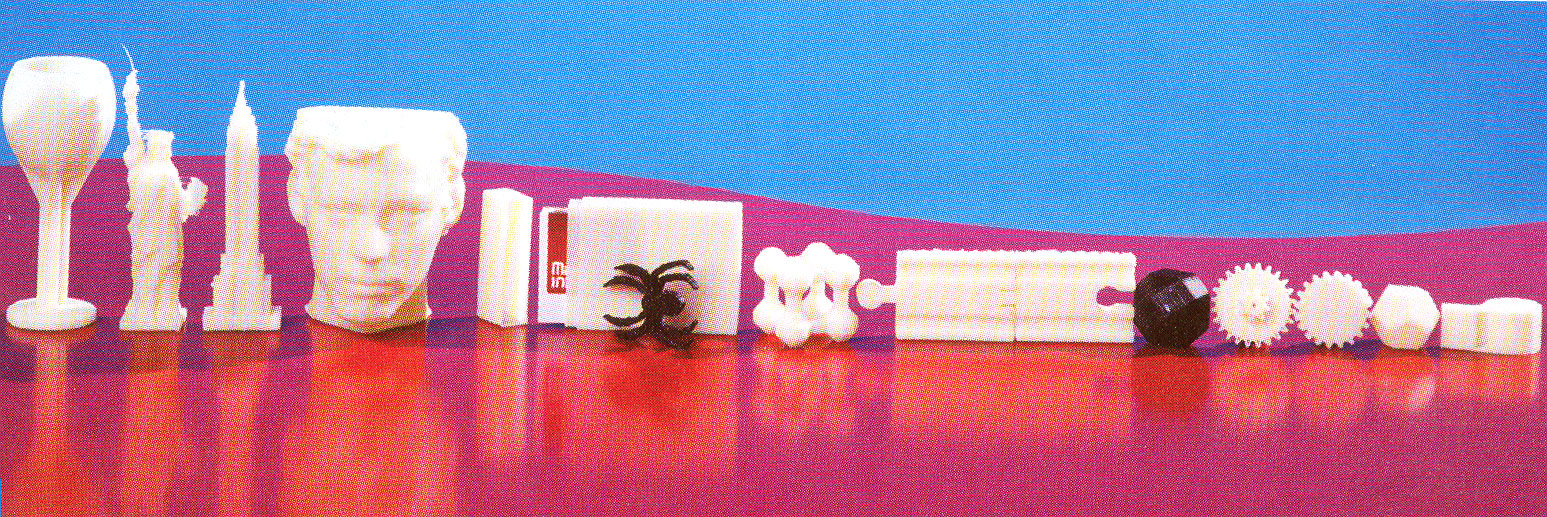
Since I posted the on Thingiverse I've seen it pop up in a few places, like this on the WSJ site. In the latest edition of Make magazine (volume 21) it popped up again on page 49 in a line up of other interesting objects from Thingiverse. It's a weird feeling to know that someone else has actually made something I designed and threw on the internet. Hopefully this kind of thing will happen more and more as "home fabrication" becomes more ubiquitous!
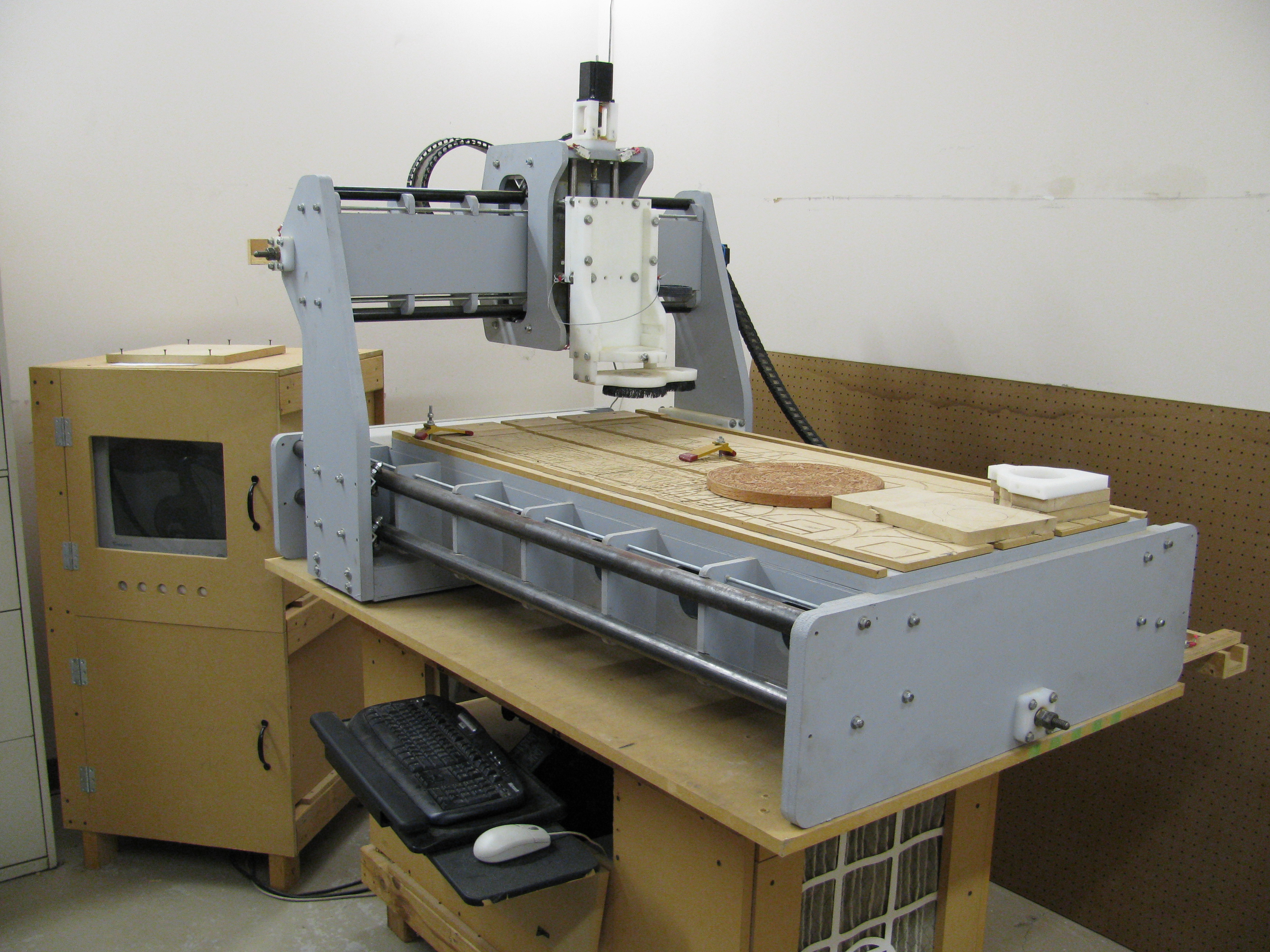
I managed to acquire a used homebrew joe's 2006-R1 CNC mill on Craigslist last week and with a little help from CCCKC members I got it set up at the hackerspace! It didn't come with a spindle, but I also found a variable speed 2HP Craftsman router with 1/4" and 1/2" collets for a reasonable price as well to use with the setup. Unfortunately, it turned out to be too big for the spindle mounts so we cut some temporary mounting brackets out of MDF to mount the spindle and use it to cut new mounting brackets. I'm currently waiting on some 3/4" HDPE and endmill bits to come in so we can start cutting while I debug a couple issues the setup seems to have with limit triggering.
As far as my projects go, access to a CNC setup should allow me to skip the bootstrap section of my CNC mill design. Hopefully CCCKC members will get some good use out of it as well!